Access Control
Monitor and analyse vehicle and person access events at gates.
Access Control (also known as Gatekeeper) tracks entry and exit activity at your sites. It aggregates licence disc scans, vehicle checks, and access logs so you can audit movements and identify anomalies.
Status
Live — Access Control is fully available and in production use.
The problem Access Control solves
At most boomed entrances in South Africa, guards either have a camera capturing the front of vehicles or they walk to each car, scan the licence disc barcode with a handheld device, and ask for a driving licence. That data gets recorded so the business can prove who came and went—and in the event of an incident, they have a system of record.
Community Wolf does the same thing, but through WhatsApp. No dedicated scanning hardware required. The guard uses the site phone they already have.
How it works in the field
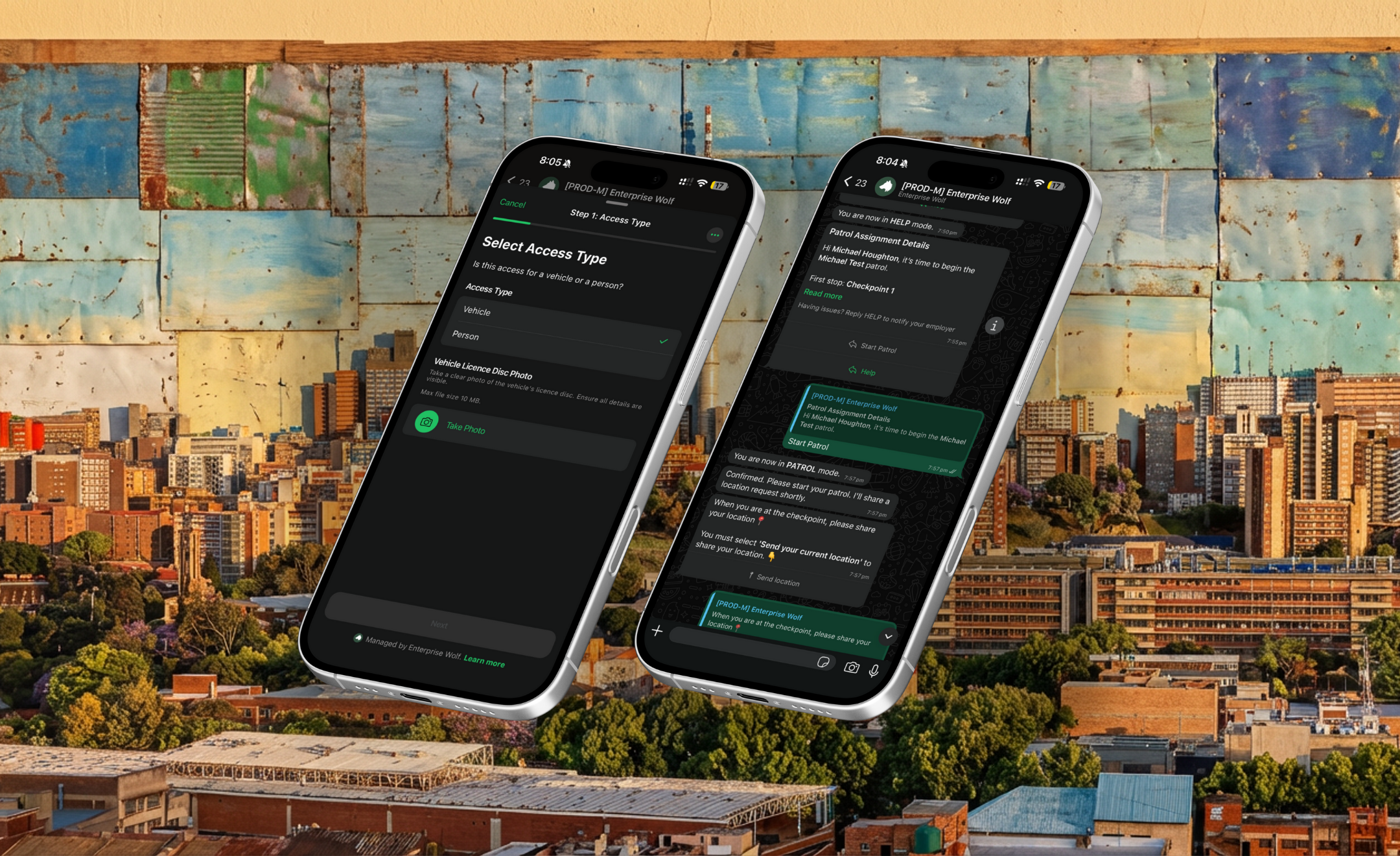
Guard receives the flow
The guard taps a button in WhatsApp to start an access control scan.
Take a photo of the licence disc
The guard photographs the licence disc. Community Wolf extracts the registration, make, model, and expiry automatically.
(Optional) Capture person information
For comprehensive access control, the guard also photographs the driver's licence or ID and records additional details (entry/exit direction, trip purpose, passenger count).
Instant feedback
The guard sees immediately whether the vehicle is flagged on the national database.
Manager alert
If the vehicle is flagged, the manager (assigned in the staff hierarchy) receives an automatic WhatsApp alert with the licence plate, time, site, and staff member who scanned it.
Two modes
| Mode | What it captures | When to use |
|---|---|---|
| Licence disc only | Vehicle registration, make, model, expiry, flag status | High-volume sites where speed matters |
| Licence disc + person info | All of the above, plus driver ID, passenger count, trip purpose | Estates and sites with stricter SLAs |
Both modes work through the same WhatsApp flow—the comprehensive version just has more steps.
Data captured
Every scan creates a record with:
- Licence disc image
- Extracted fields (registration, make, model, colour, expiry)
- National database check result (flagged / not flagged)
- Timestamp
- Staff member and site
- (If comprehensive) Driver ID image, passenger count, entry/exit direction, trip purpose
All images are stored securely in AWS with signed URLs. Text data is stored in MongoDB. See Security and data handling for details.
Access Control list
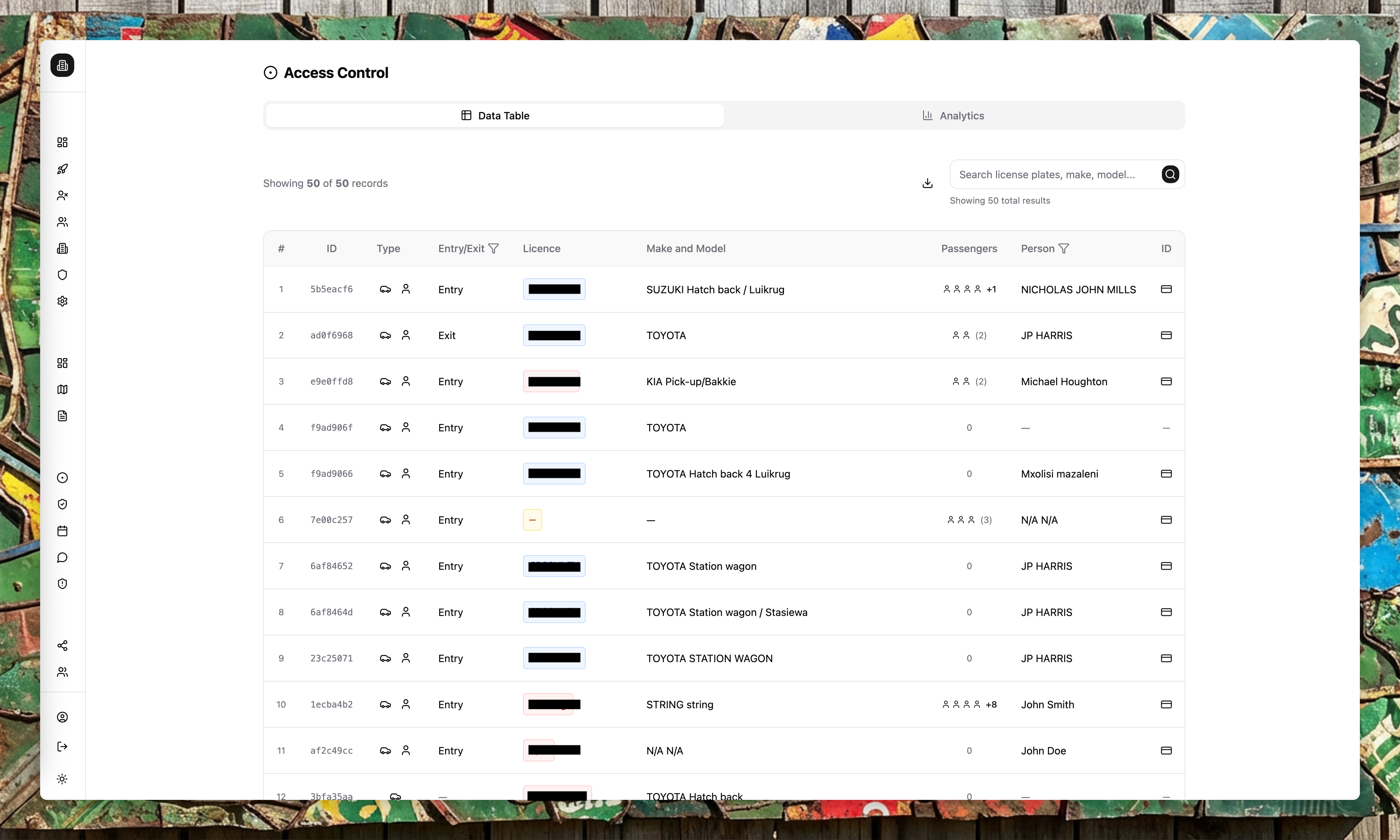
The main table is a real-time feed of access events. You can:
- Search by licence or person
- Filter by entry/exit direction
- Filter by staff member or site
- Review images, make/model, and passenger counts
New gate events appear in real time. The list can update even if filters are applied, to ensure critical events are visible quickly.
Analytics
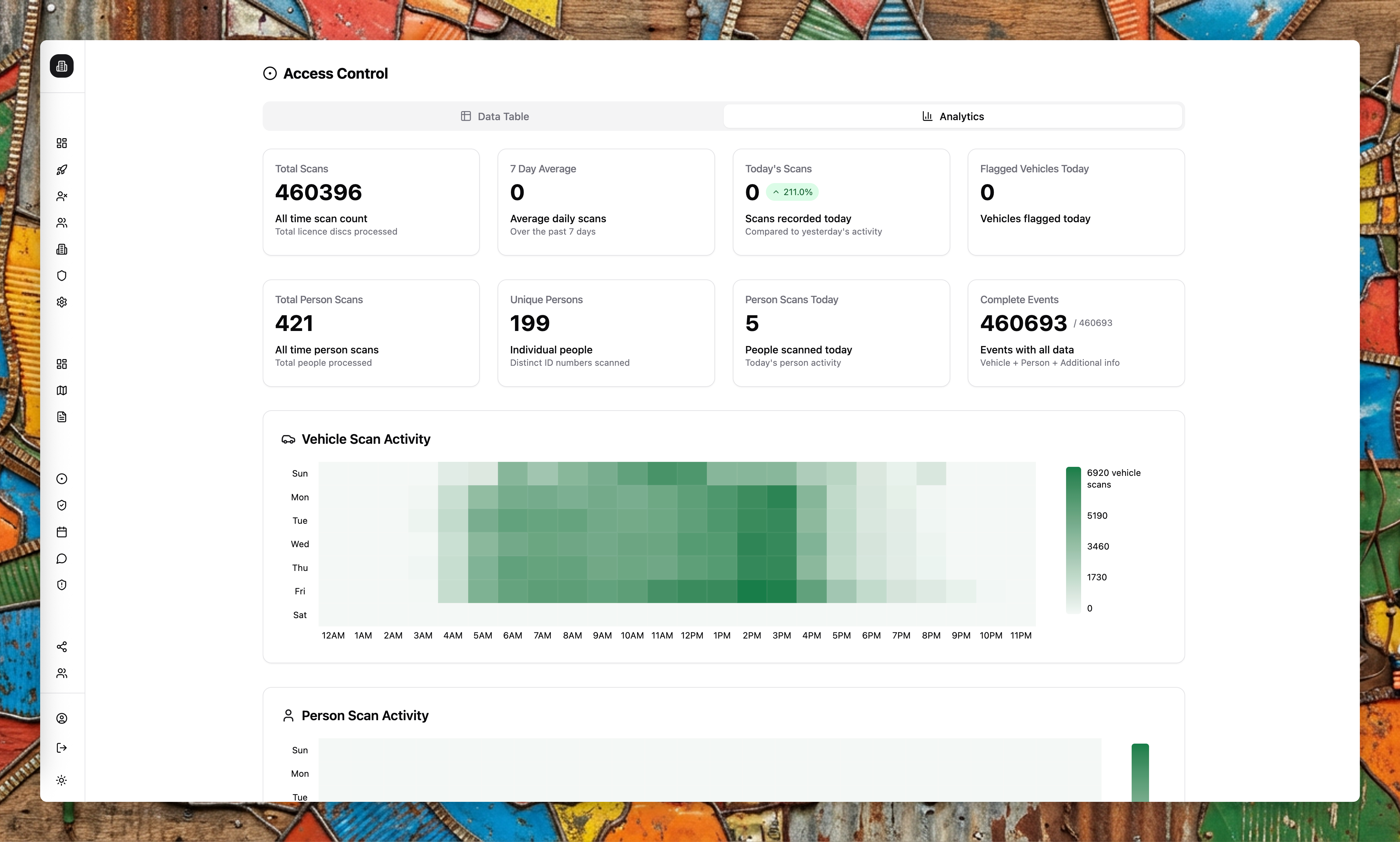
The analytics view includes:
- Total scans and averages
- Person vs vehicle breakdowns
- Top makes and models
- Expiry distribution and duplicates
- Staff and site activity trends
Exports
Export access control data for audits or client reporting. You can filter exports by date, staff, or site.
Alerts and exports
Use Alert Flows to notify teams when access events match specific conditions (for example, send a webhook when a flagged vehicle is scanned). Use Export Flows to schedule regular access control exports—for example, send a PDF summary to your client every Monday morning.