Export Flows
Schedule data exports for reporting and audits.
Export Flows let you schedule recurring exports of platform data to email or WhatsApp recipients.
What Export Flows do
Export Flows automate the admin of client reporting. Instead of manually downloading data, formatting a spreadsheet, and emailing it to your client every week, you set up an export flow once and it runs automatically.
At the scheduled time, the system:
- Pulls data from the selected collection for the configured time period
- Formats it into a PDF table with the fields you chose
- Sends it to your recipients via email or WhatsApp
Your client gets a professional-looking report without you lifting a finger.
Available collections
Export flows can pull data from:
- Licence Disc Scanning
- Patrol Events
- People and Roster
- Schedules
- Access Control
- Licence Plate Checks
- Agent Groups
- Group agent skill outputs (when a collection matches a skill)
Create an export flow
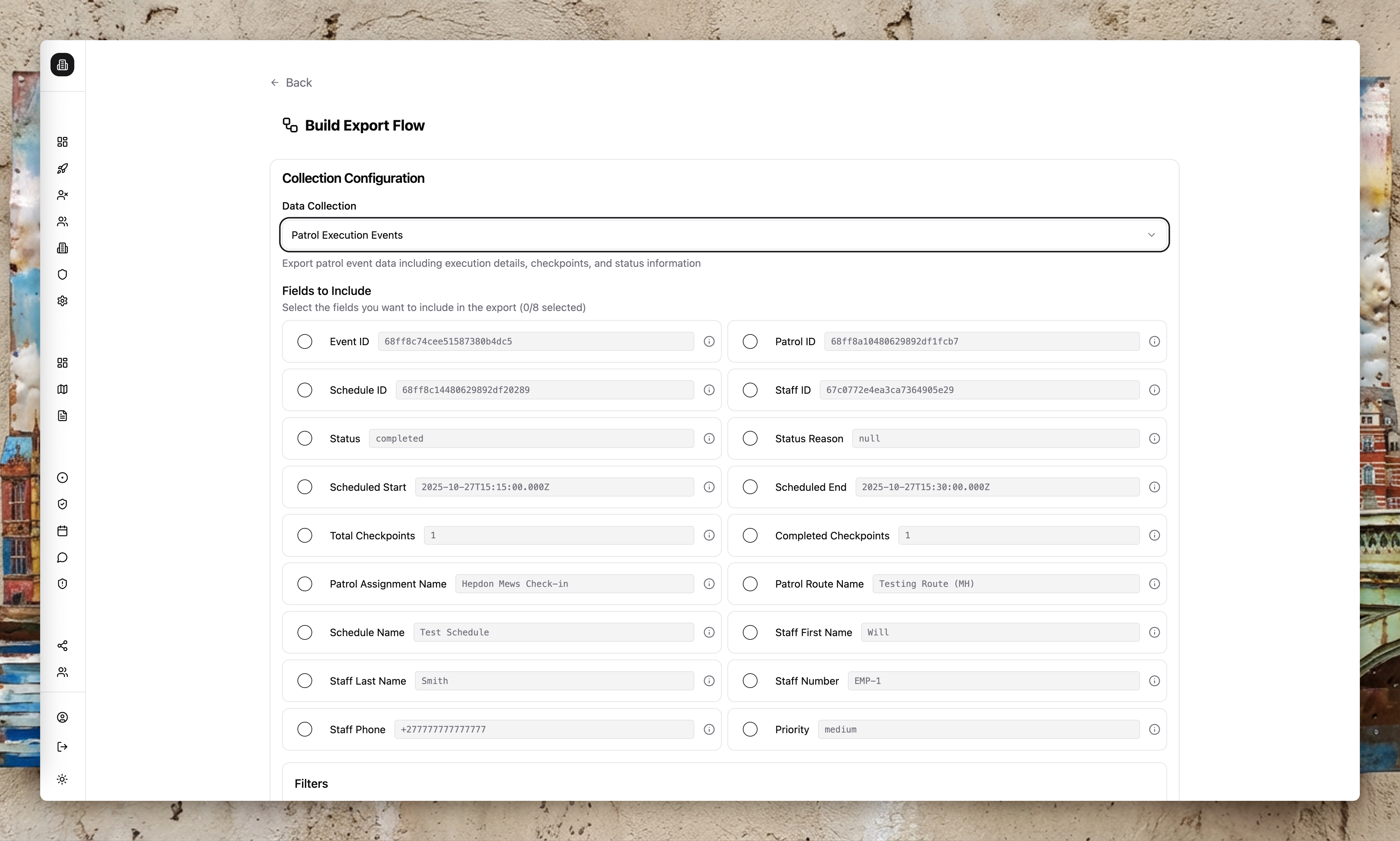
Choose a collection
Select the data set you want to export.
Apply filters
Filter by staff or site where relevant. For example, export only data from a specific site for a specific client.
Select fields
Choose the fields to include. You can export up to 8 fields per flow.
Add recipients
Enter recipient names and delivery channels (email or WhatsApp).
Set schedule
Choose daily, weekly, or bi-weekly delivery and select the timezone and send time.
Common patterns
| Pattern | Configuration |
|---|---|
| Weekly access control report | Collection: Access Control, Filter: Site = "Client Estate", Schedule: Weekly Monday 9am, Recipient: client@example.com |
| Daily patrol summary | Collection: Patrol Events, Filter: Site = "Office Park", Schedule: Daily 6am, Recipient: ops-manager@company.com |
| Monthly incident report | Collection: Reports, Filter: Area = "CBD", Schedule: Monthly 1st 8am, Recipient: WhatsApp to security director |
| Group agent outputs for client | Collection: Group Agent Outputs (Incident skill), Filter: Feed = "Client Ops", Schedule: Weekly, Recipient: client@example.com |
What the export looks like
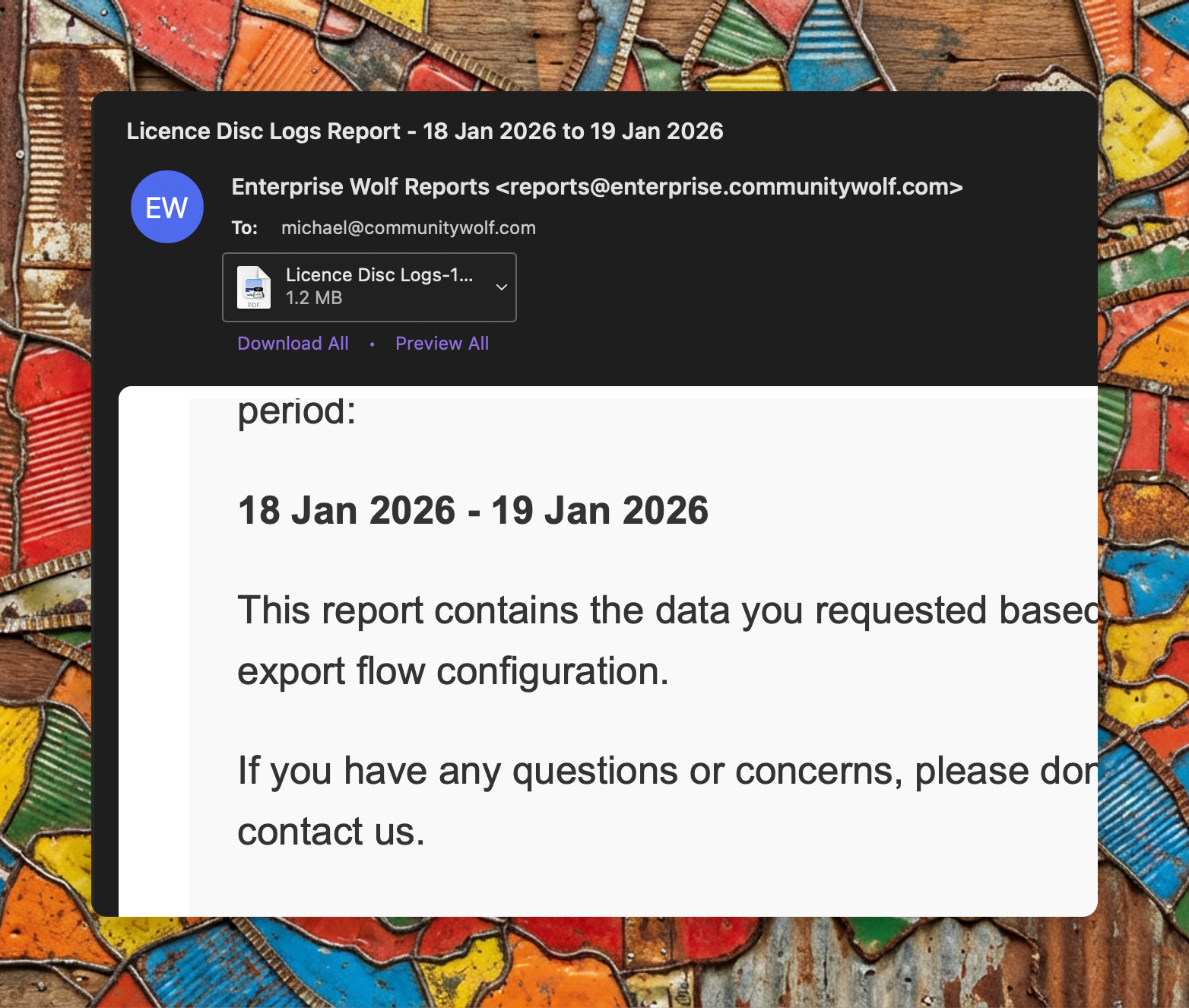
Recipients receive an email with an attached PDF. The PDF contains:
- A header with the export name and date range
- A table with the fields you selected
- Rows for each record that matched your filters
The format is designed to be dropped on a client's desk or forwarded without modification.
Export flows are ideal for recurring client reports and audit trails. For real-time notifications, use Alert Flows instead.
Where export flows apply
Export flows can be configured for most business tools and report data, including:
- Access Control
- Patrol Management
- Group Agents
- Insights
- Safety Survey
- Reports
- Roster Management (when live)