Reports
View, filter, and analyse incident reports and activity data.
Reports are the primary record of incidents and community activity. They are submitted by WhatsApp agents and surfaced in the platform for review, verification, and analysis.
What reports capture
Every report submitted through the community WhatsApp agent includes:
- Location: Where the incident occurred (GPS coordinates)
- Type: Crime category or incident type
- Description: The user's account of what happened
- Media: Photos, videos, or voice notes if provided
- Timestamps: When the report was submitted and updated
- Conversation history: The full WhatsApp exchange with the reporting user
Enterprise users see all of this. The public sees only a summarised version.
Report list
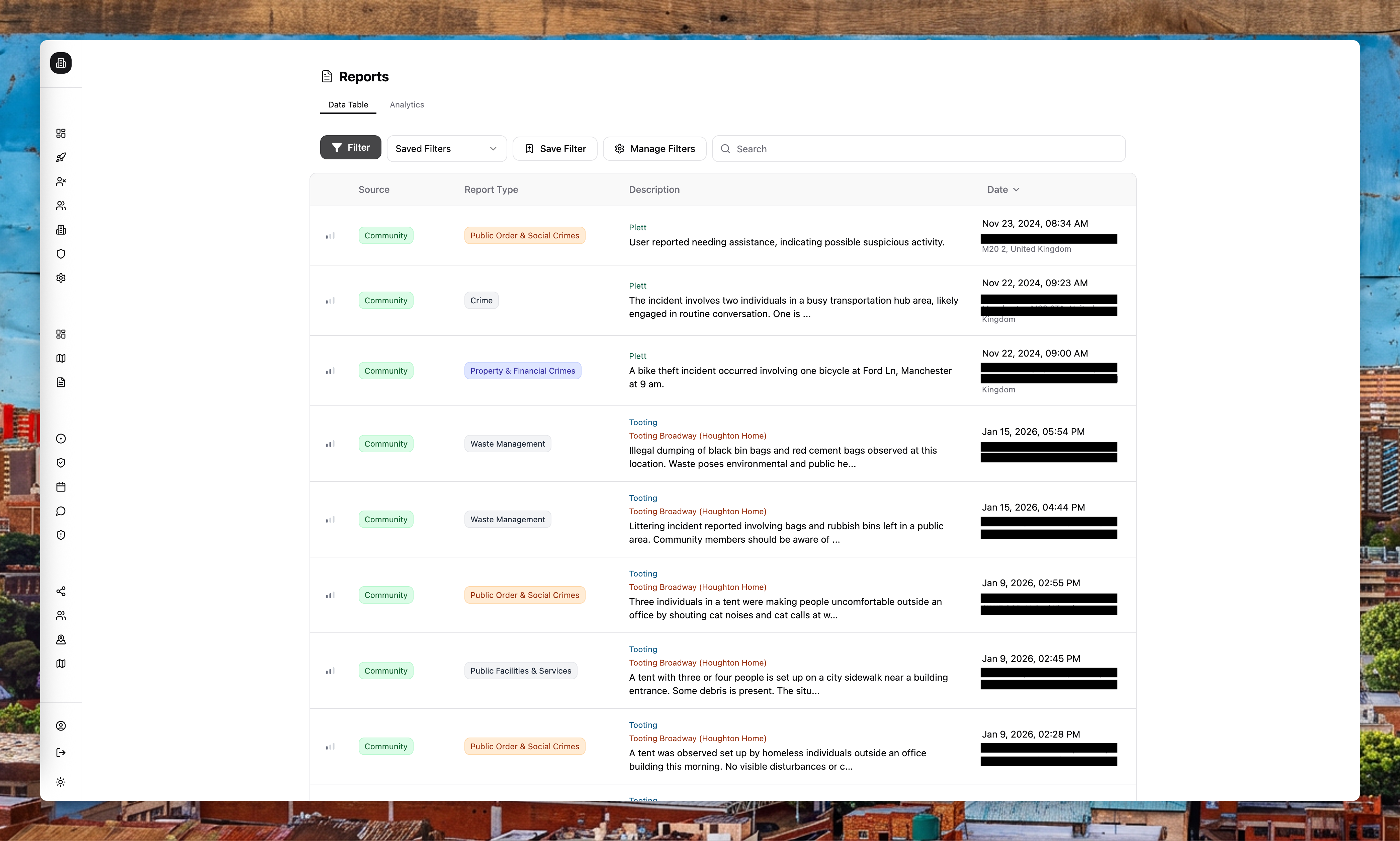
The report list supports real-time updates and multiple ways to narrow what you see:
- Search by keyword
- Filter by report type (crime category)
- Filter by verification status
- Filter by date range
- Filter by areas or sites
You can save commonly used filters to return to them quickly.
Report details
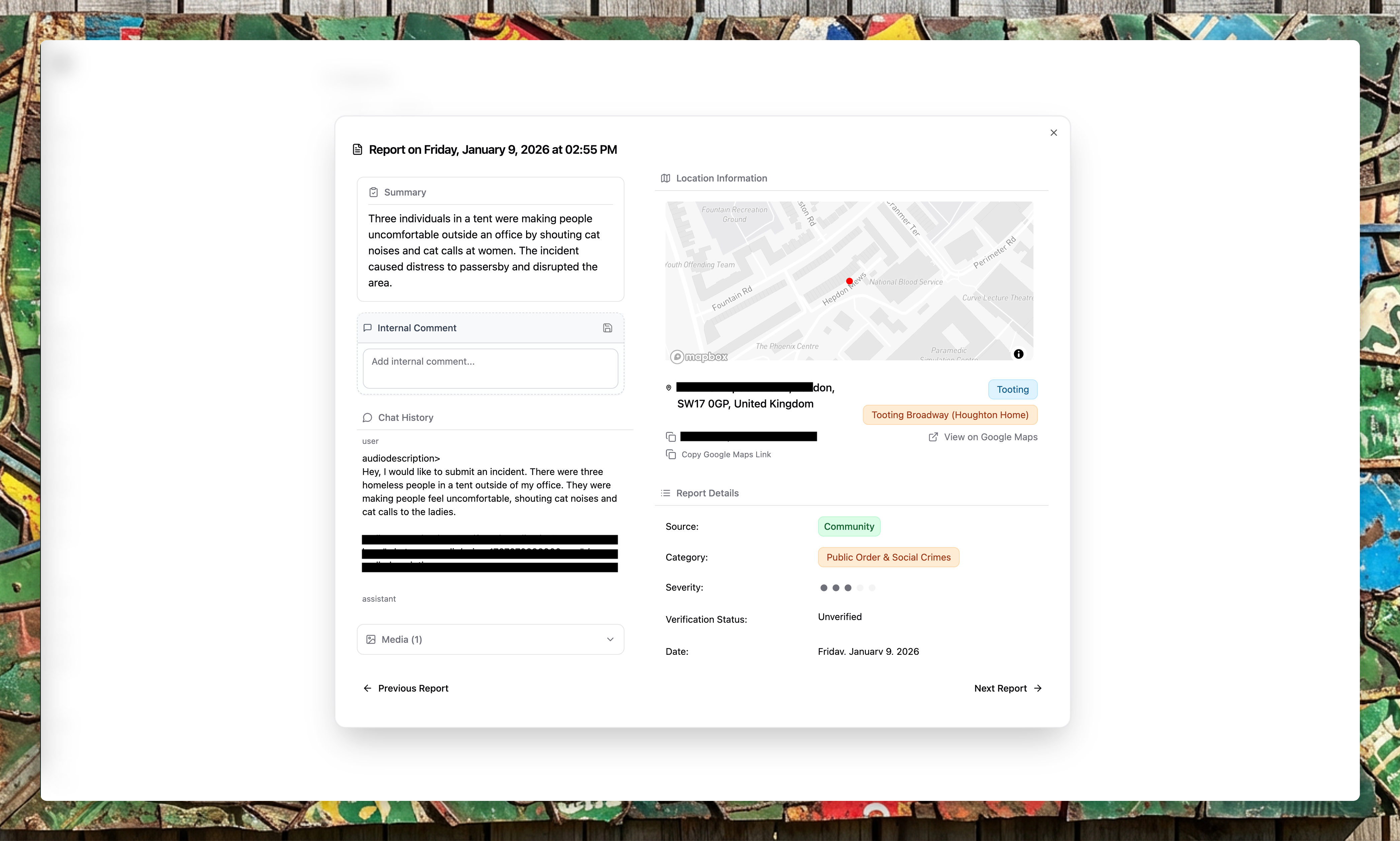
Open a report to review:
- Summary and description
- Media evidence (images, videos, voice notes)
- Full conversation history with the reporter
- Location and associated areas
- Verification status
- Comments and discussion (where available)
Verification
When a report is submitted, community members in the same area receive an alert asking whether they saw anything. Their responses contribute to the verification status:
- Verified: Multiple people confirmed the incident
- Unverified: No additional confirmation yet
- Disputed: Someone reported conflicting information
This crowd-sourced verification helps you assess report quality.
Analytics
The analytics view provides deeper insights, including:
- Crime type distribution
- Activity over time
- Heatmaps of report density
How reports are scoped
Reports live in the community data store, while sites and areas live in the enterprise data store. The platform resolves your organisation's sites into areas, then filters reports by location to ensure you only see relevant incidents.
If a report location falls outside your configured areas, it will not appear in your report list or analytics. Keep your area boundaries accurate.
Alerts and exports
Use Alert Flows to notify teams about high-priority reports (for example, send a WhatsApp when a violent crime is reported). Use Export Flows to schedule regular report exports.