Community Agents
WhatsApp agents used by the public to submit reports and manage alert areas.
Community agents are free, community-facing WhatsApp assistants that let people participate in public safety from the leafy suburbs of Constantia to the townships of Soweto. They work in first-language conversations so anyone can report suspicious activity, share incidents, and request updates.
What community agents do
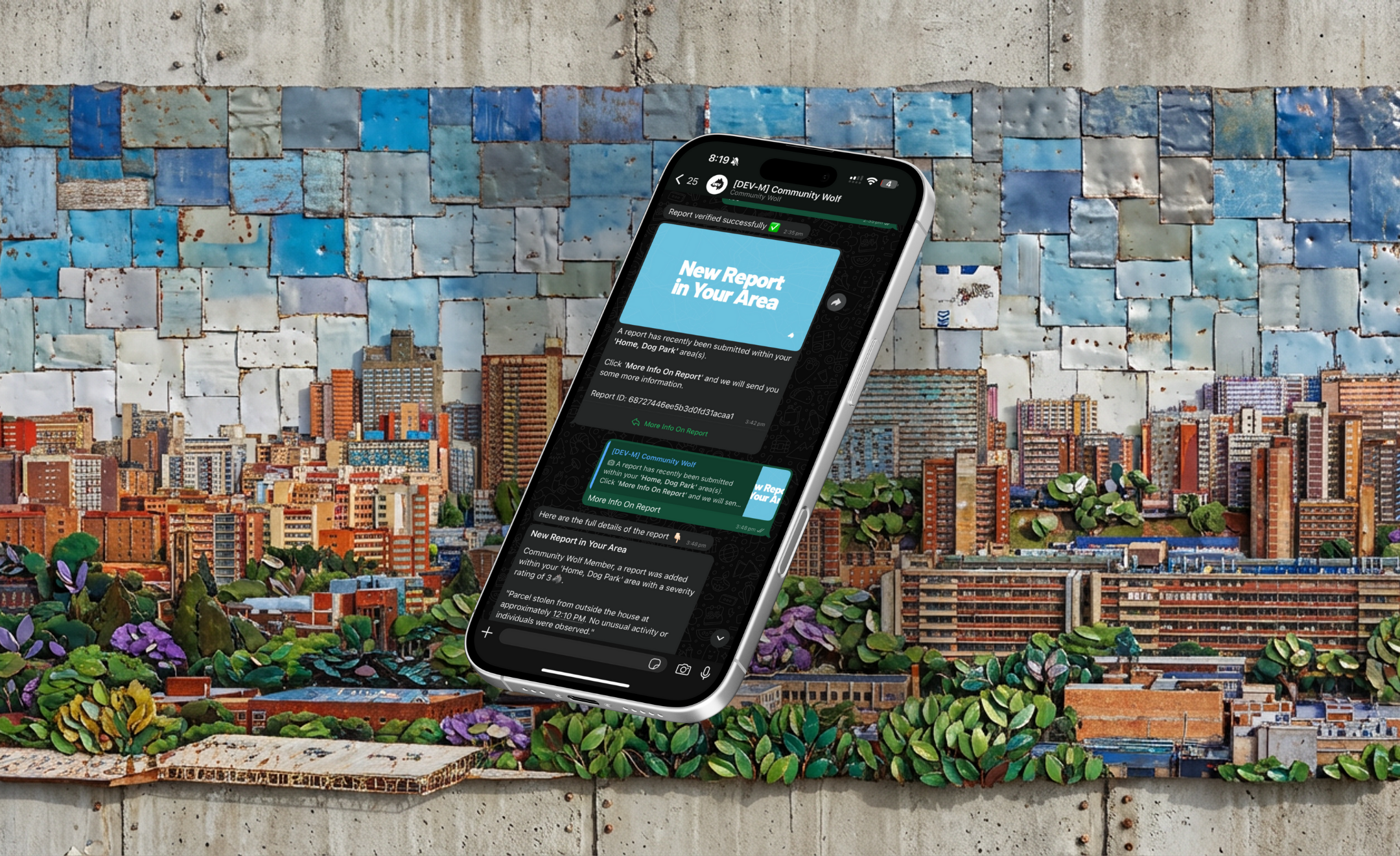
- Accept WhatsApp messages and interpret intent
- Submit incident reports with location, description, and media
- Return recent reports by area
- Create or update user alert areas
- Support trip or journey workflows
First-language support
Community agents understand messages in multiple languages. A person can describe an incident in Afrikaans, Zulu, or English—the agent interprets the intent and extracts the relevant information. This removes barriers that would otherwise prevent people from reporting.
How data flows
- Messages are received through WhatsApp webhooks.
- The agent interprets the message and calls a tool (for example,
submit_report). - Reports and user areas are stored in MongoDB. Media (images, voice notes) is stored in AWS with signed URLs.
- Reports appear on the Community Wolf Live Map and Reports views.
See Security and data handling for details on how data is stored and protected.
Enterprise vs public verbosity
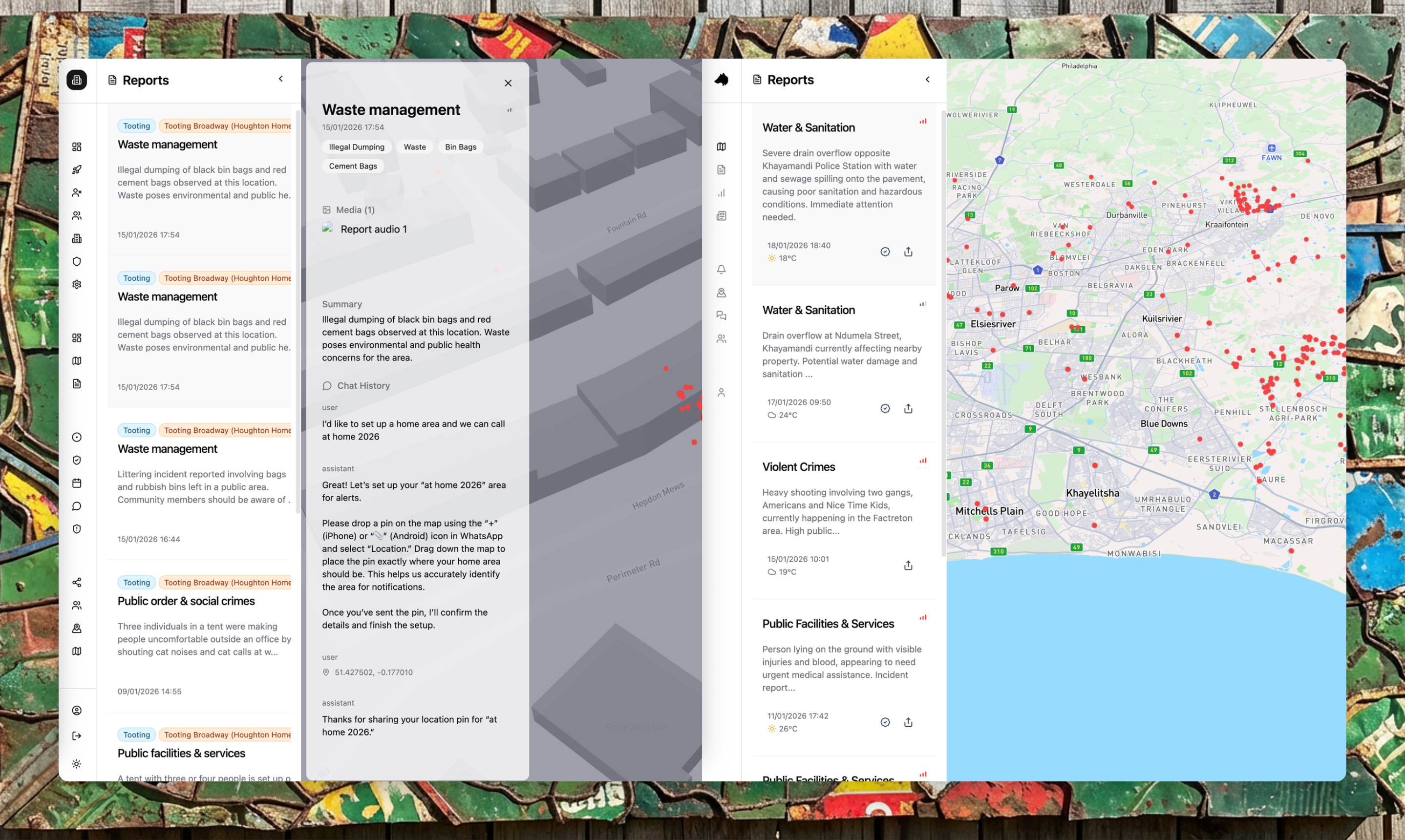
When a report is submitted, it shows up in two places:
- Public view: A summarised version with the incident type, location, and a short description. This is what community members see when they follow an area.
- Enterprise view: The full context—conversation history, all media (images, videos, voice notes), timestamps, and any verification activity.
This separation means enterprise users can investigate incidents in detail while the public receives just enough information to stay aware.
Community reports are scoped to your organisation by matching report locations to your configured areas. If a report falls outside your areas, you will not see it.
Alert areas and notifications
Community members can set up alert areas—geographic zones they want to follow. When a new report is submitted inside an alert area, the system sends a WhatsApp message to everyone following that area:
"A [incident type] was reported near [location]. Did you see anything?"
Recipients can confirm, deny, or provide additional information. This creates a verification loop that helps assess report quality.
Alert logging
Community agents log alerts whenever a new report matches a user's alert areas. This allows the system to track alerts delivered and requests for more information.