Alert Flows
Send alerts when records are created or updated.
Alert Flows trigger notifications when key data changes. Use them to alert teams about new reports, patrol events, or access control activity.
What Alert Flows do
Alert Flows are business automations. When something happens in Community Wolf (a record is created or updated), you can trigger an action: send a WhatsApp message, send an email, or call a webhook.
Think of them like Zapier or Make.com, but built into the platform and connected to your operational data.
Create an alert flow
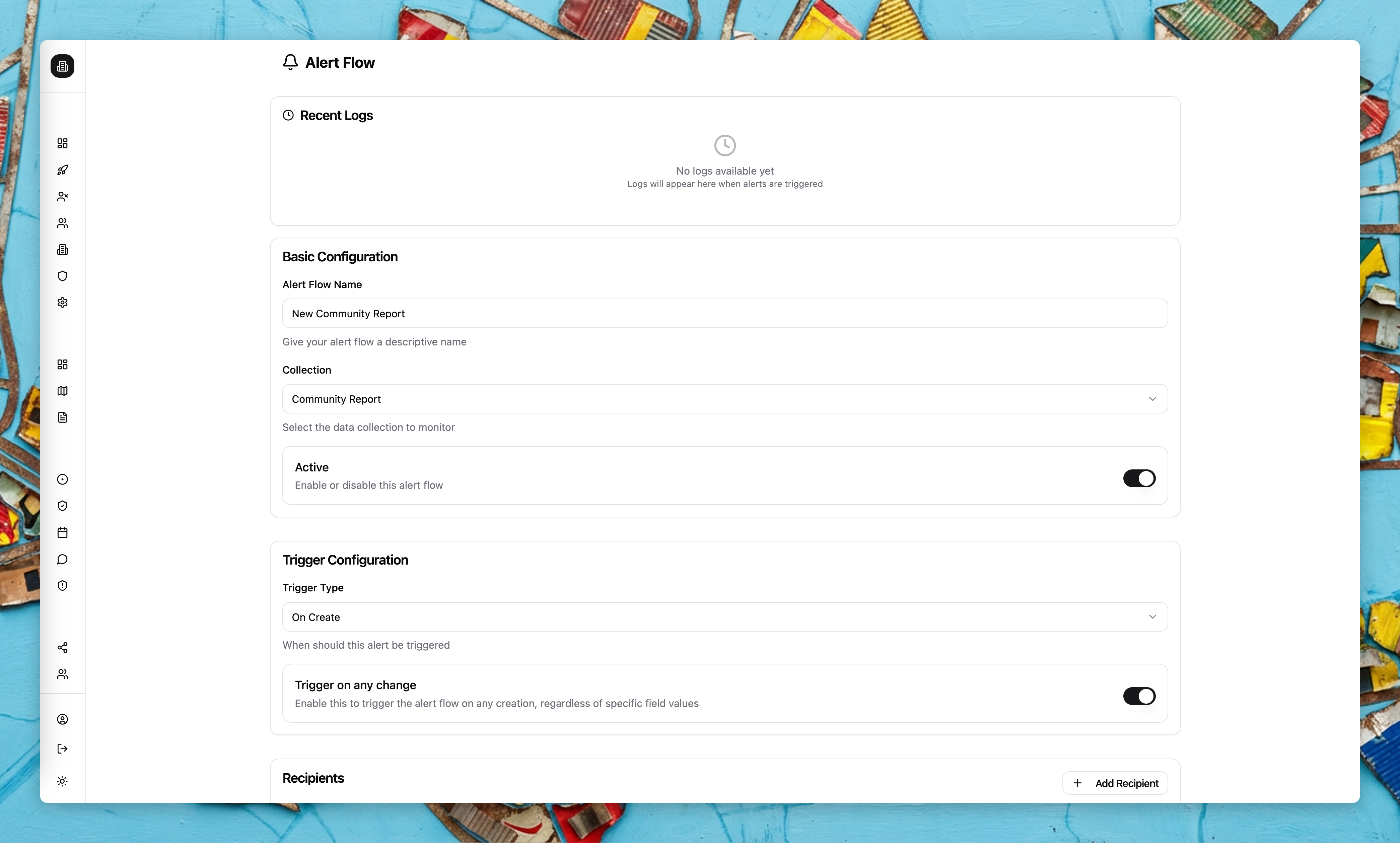
Choose a collection
Select the data set that should trigger alerts (for example, Access Control or Patrol Events).
Configure the trigger
Pick On Create or On Update. You can also enable Trigger on any change to avoid setting conditions.
Add conditions
Choose a field, operator, and value to narrow down when alerts fire.
Add recipients
Send alerts to email, WhatsApp, or a webhook endpoint. Webhooks can include a bearer token for secure delivery.
Common patterns
| Pattern | Configuration |
|---|---|
| Flagged vehicle at gate | Collection: Access Control, Condition: flag status = flagged, Recipient: WhatsApp to ops manager |
| Missed patrol | Collection: Patrol Events, Condition: status = missed, Recipient: WhatsApp to site manager |
| High-severity incident | Collection: Reports, Condition: severity = high, Recipient: Email to security director |
| Group agent detects incident | Collection: Group Agent Outputs, Condition: skill = Incident Reports, Recipient: Webhook to Incident Desk |
Sending to external systems
Alert Flows can send data to external systems via webhooks. When a record matches your conditions, Community Wolf makes an HTTP POST request to the URL you specify, including the record data as JSON.
You can include a bearer token in the webhook configuration for authentication. This lets you connect to systems like Incident Desk, Slack, or your own internal APIs.
If the external system accepts webhooks, Community Wolf can send data to it. This is how you integrate with tools that are not directly connected to the platform.
Operators and value types
Available operators depend on the value type:
- String: equals, not equals, contains, starts with, ends with
- Number or date: equals, not equals, greater than, less than
- Boolean: equals, not equals
- Location: geo-intersects
Logs and testing
Each alert flow includes a log view for recent deliveries. Webhook recipients can be tested directly from the builder—you can fire a test request and see the response.
Use alert flows for time-sensitive updates and export flows for scheduled reporting.
Where alert flows apply
Alert flows can be configured for most business tools and report data, including: