Patrol Management
Configure routes, schedules, and assignments for patrols.
Patrol Management lets you design patrol routes, schedule them, and track completion. Patrols are configured on the platform and executed by staff through WhatsApp agents.
Status
Live — Patrol Management is fully available and in production use.
The problem Patrol Management solves
Security businesses need to prove that guards are doing what they are paid to do. Is the guard awake at 2am? Did they actually walk the route? The challenge is accountability without expensive hardware.
Traditional solutions use RFID tags stuck to walls—guards tap them with a dedicated device to prove they were there. Community Wolf uses WhatsApp location sharing instead. No tags, no devices. Just a phone the guard already has.
Core concepts
| Concept | What it is |
|---|---|
| Schedule | A trigger that fires at specific times (for example, every 4 hours, only during night shifts) |
| Route | A sequence of checkpoints on a map, each with a geofenced radius |
| Assignment | Links a schedule, a route, and a staff member together |
| Event | The record of a patrol that was triggered, including its outcome |
How patrols run
Schedule triggers
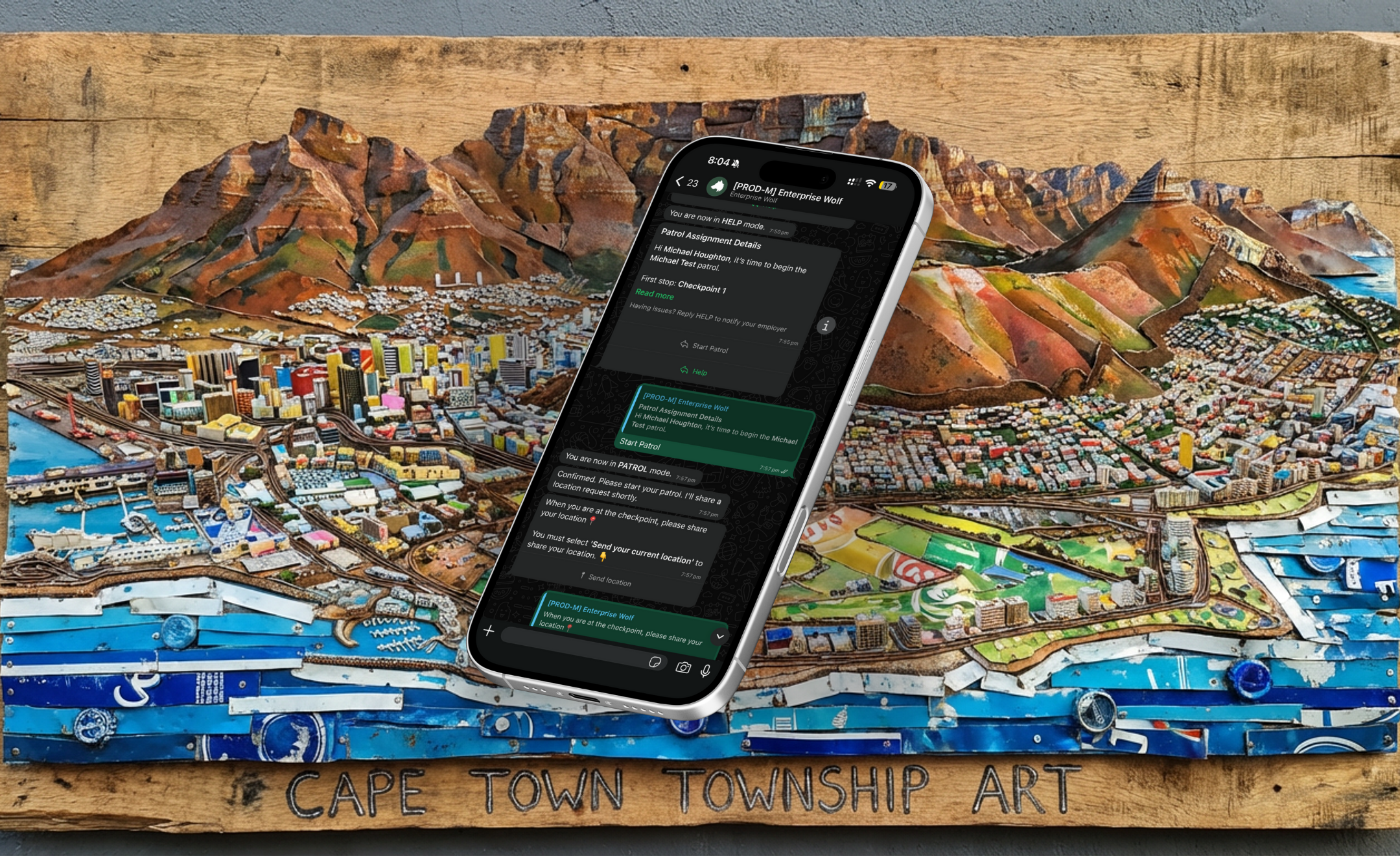
At the scheduled time, the system sends a WhatsApp message to the assigned guard: "Time to begin your patrol."
Guard starts the patrol
The guard taps a button to start. The system sends a location request for the first checkpoint.
Guard shares current location
The guard taps "Share location" in WhatsApp, which sends their current GPS coordinates. The system verifies they are within the checkpoint's geofenced radius.
Move to next checkpoint
If there are multiple checkpoints, the guard walks to the next one and shares their location again. The system tracks progress.
Patrol completes
Once all checkpoints are verified, the patrol is marked complete. The event is timestamped and geotagged.
Checkpoints and geofences
Each checkpoint has:
- Location: A pin on the map
- Radius: How close the guard must be to check in (default 10 metres)
- Instructions: Optional notes shown to the guard (for example, "Check the gate is locked")
- Expected duration: How long the guard should spend at this checkpoint
The system estimates travel time between checkpoints and adds a buffer. If a guard takes too long, the patrol may be marked as missed or abandoned.
WhatsApp location verification
Community Wolf uses current location sharing, not live tracking. When the guard taps "Share location," WhatsApp sends their GPS coordinates at that moment. The system checks whether those coordinates fall inside the checkpoint's geofenced radius.
WhatsApp does not support background location tracking or live streaming. Patrols rely on the guard actively sharing their location at each checkpoint. This is a platform constraint, not a limitation we can work around.
Core tabs
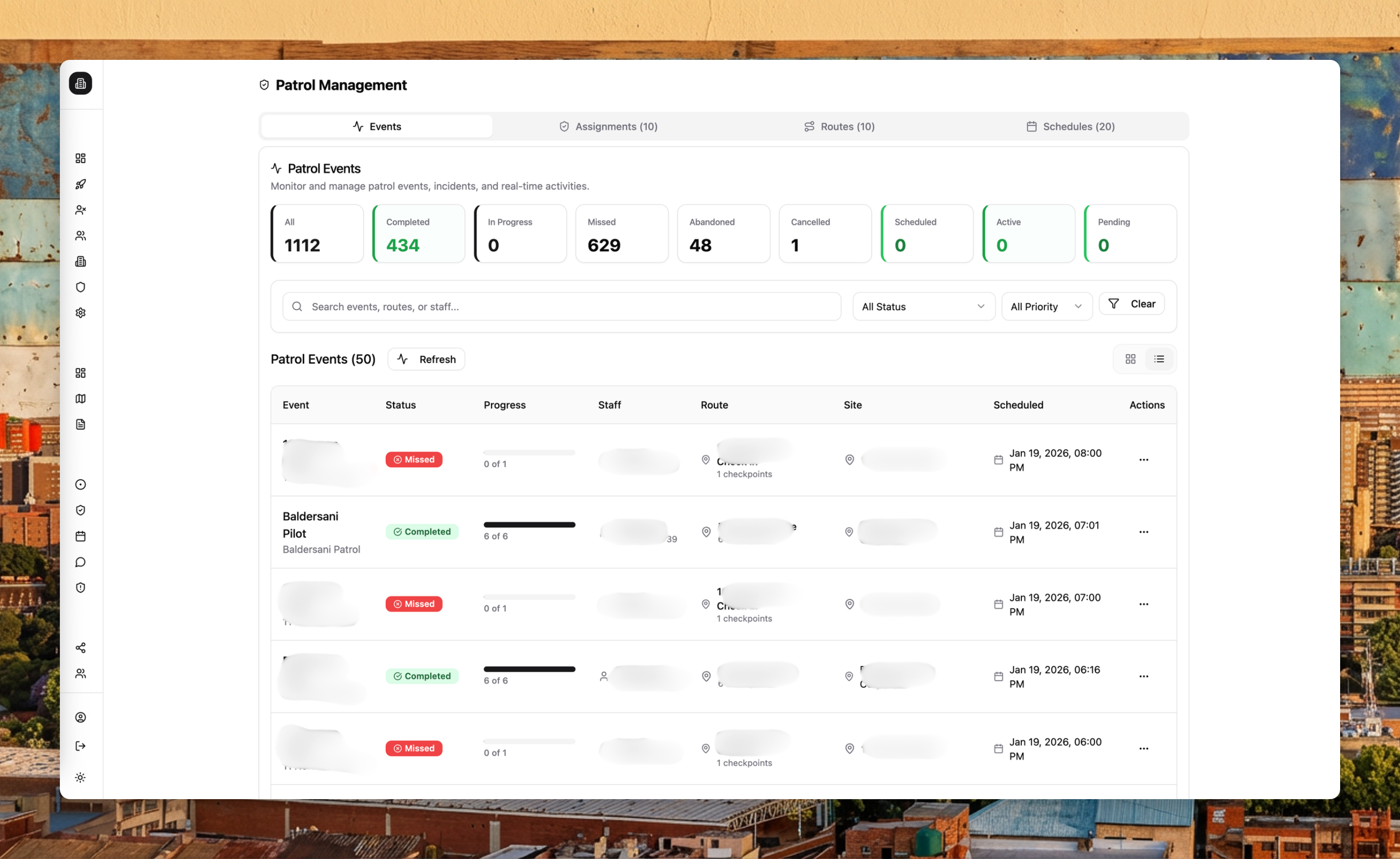
- Events: View patrol outcomes and statuses (completed, in progress, missed, abandoned, cancelled, scheduled, active, pending).
- Assignments: Link routes, schedules, and staff together.
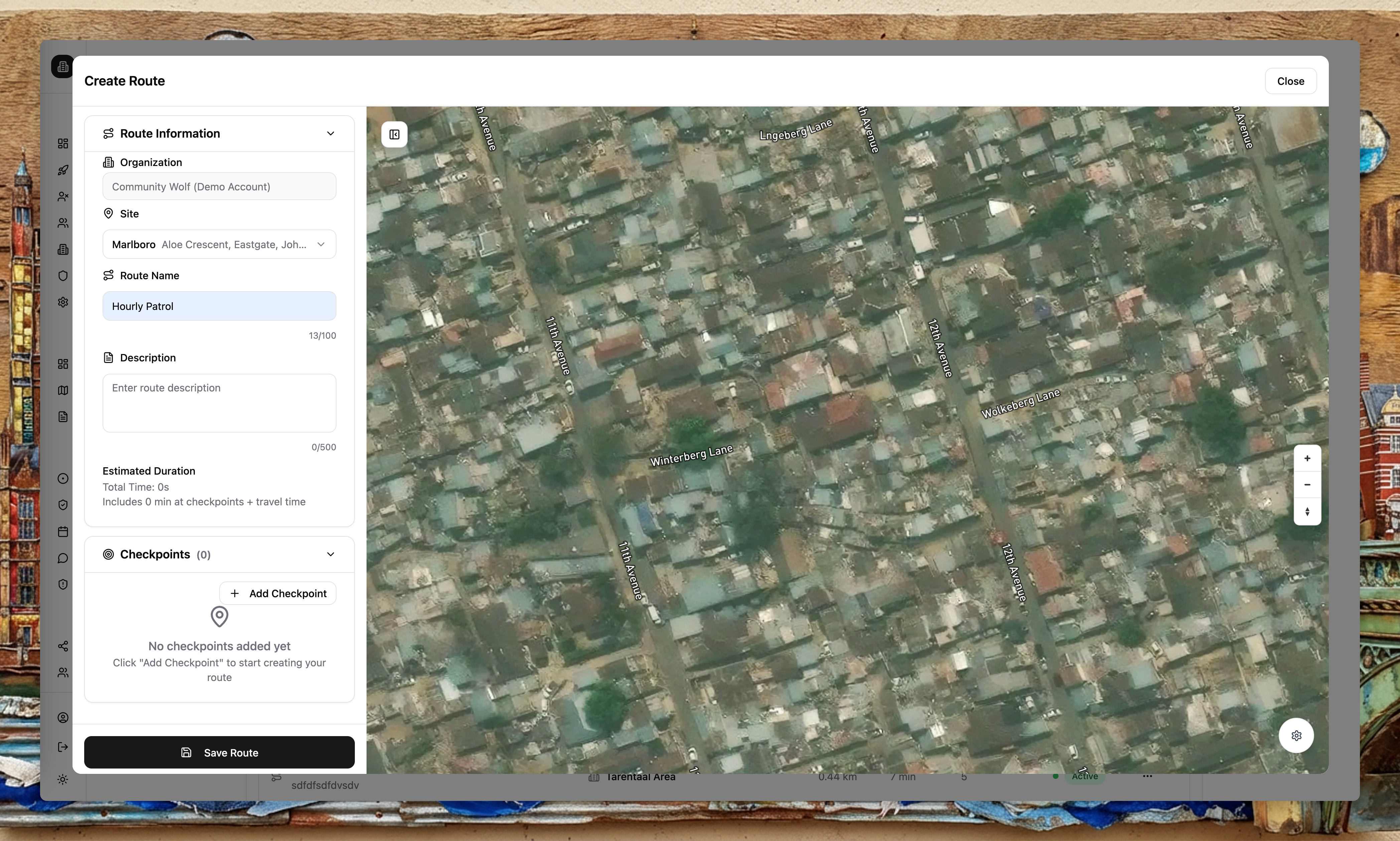
- Routes: Create patrol routes and checkpoints on the map. You can duplicate or edit routes at any time.
- Schedules: Define recurring patrol schedules and activation windows.
Single-checkpoint patrols
Not all patrols require multiple checkpoints. A common use case is a simple "awake check": at a scheduled time, the guard must share their location from where they are supposed to be. If they do, they are awake. If they do not, the manager is alerted.
Alerts and exports
Use Alert Flows to notify teams when patrol events are created or updated (for example, send a WhatsApp to the ops manager when a patrol is missed). Use Export Flows to schedule patrol reporting—for example, send a weekly PDF of patrol completion rates to your client.