Skills
Understand staff skills and group agent skills in Community Wolf.
Skills define what capabilities are available to WhatsApp agents. There are two types of skills in the platform:
- Staff skills: Assigned to field staff to unlock WhatsApp workflows.
- Group agent skills: Configured for group agents to extract structured data from group messages.
Staff skills
Staff skills turn a site phone into an operational tool. When you assign a skill to a staff member (which is really a phone number), that phone gains new WhatsApp capabilities. No app downloads, no new hardware—just WhatsApp.
Think of skills as the things a guard can do through their phone:
| Skill | What it enables |
|---|---|
| Community Wolf Core Skills | Essential reporting and data capture workflows |
| Log Licence Disc | Capture licence disc data at gates (basic access control) |
| Log Licence Disc and Person Info | Capture vehicle data plus driver ID (comprehensive access control) |
| Check Licence Plate | Validate or check licence plates against databases |
| Patrol Skills | Run static check-ins or moving patrol routes |
How skills work in the field
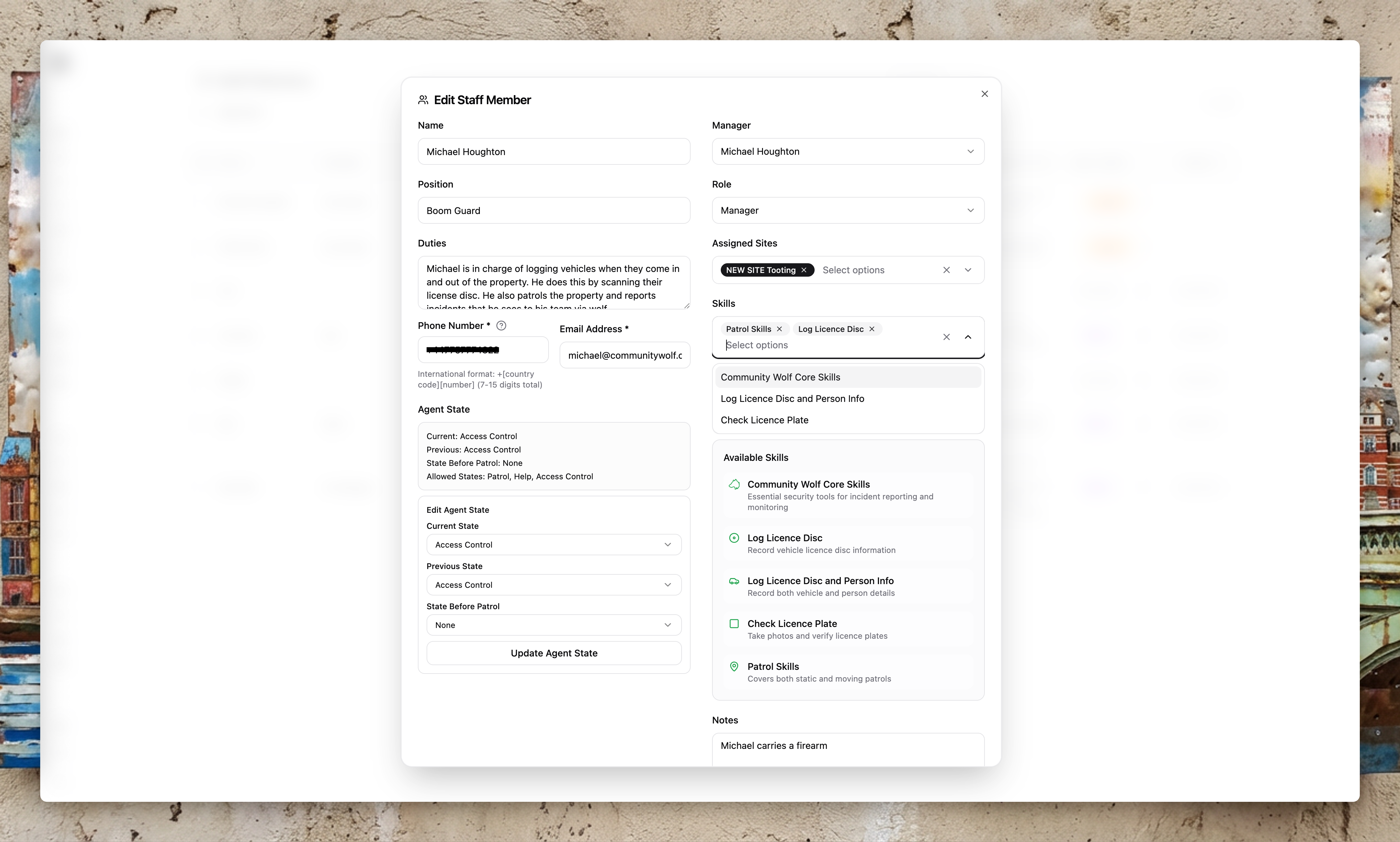
- You assign a skill to a staff member (phone number) in the platform.
- The next time that phone interacts with the WhatsApp agent, it has access to the new capability.
- The guard sees a WhatsApp flow (buttons, image uploads, location sharing) that guides them through the task.
- Data flows back to the platform in real time.
This is why Community Wolf says "the hardware you need is already on site." Most guarding businesses already have WhatsApp phones at every post. Skills just unlock what those phones can do.
Skill combination rules
Some skill combinations are restricted to avoid conflict:
- Community Wolf Core Skills + Check Licence Plate
- Community Wolf Core Skills + Patrol Skills
- Patrol Skills + Check Licence Plate
- Single skill assignments (each of the above on its own)
Licence Disc skills should not be combined with each other, and should not be combined with Core Skills.
Group agent skills
Group agent skills are different. They are not assigned to staff—they are assigned to group agents that listen to WhatsApp groups.
Think of a group agent skill as a task you give to a silent observer. You tell the agent: "Watch this group. Whenever you see a message that looks like an incident report, extract these fields and record them in a table."
How group agent skills work
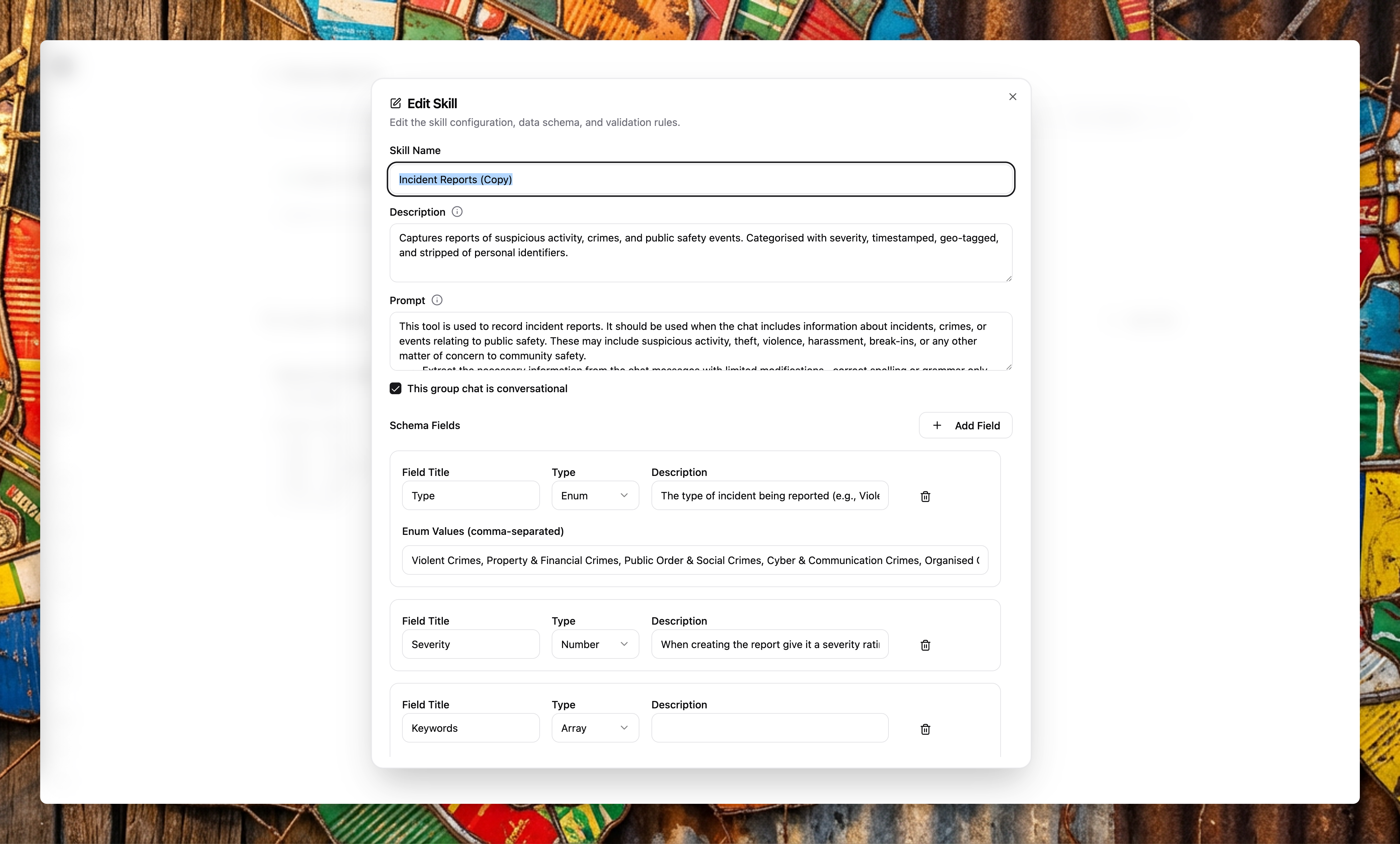
- You define a skill in the platform with a prompt and a schema (the fields you want to extract).
- You assign the skill to a group agent.
- The agent watches the group chat like a conveyor belt—every message passes by.
- When a message matches the skill criteria, the agent extracts the structured data and stores it.
Example skills
| Skill | What it extracts |
|---|---|
| Incident reports | Type, severity, location, description, media |
| Staff check-ins | Who checked in, when, at which site |
| Drone monitoring | Take-off/landing events, pilot, timestamps |
| Shift updates | End-of-shift notes, handover information |
| Fuel receipts | Amount, vehicle, date, receipt image |
Skills are fully customisable. You can create your own skills with any fields you need, or use the system skills maintained by Community Wolf.
Group agent skills are stored and used when group agents process messages. The agent does not participate in the group—it only listens and records.