Insights
Schedule automated summaries of group activity.
Insights are scheduled summaries of WhatsApp group activity. At the end of a day or week, the system generates a summary of what happened across your groups—key events, themes, action items—and delivers it to you.
Status
Live — Insights is fully available and in production use.
The problem Insights solves
Group agents extract structured data from WhatsApp groups in real time. But sometimes you do not need real-time alerts—you need a periodic summary. At the end of a shift, a day, or a week, you want to know: what happened?
Insights automates this. Instead of scrolling through hundreds of messages or dozens of skill outputs, you receive a curated summary at a time you choose.
How Insights work
Create an Insights schedule
In the Group Agents section, navigate to Insights and create a new schedule. Choose daily or weekly frequency.
Select target groups or feeds
Choose which groups or feeds the summary should cover. You can target specific groups or all groups in a feed.
Set delivery time and timezone
Choose when you want the summary delivered (for example, 8am every Monday). The system calculates the time window based on your selected timezone.
Receive the summary
At the scheduled time, Insights generates a summary of activity from the previous period (previous day for daily, previous Mon–Sun for weekly) and delivers it to your email or the platform.
What Insights include
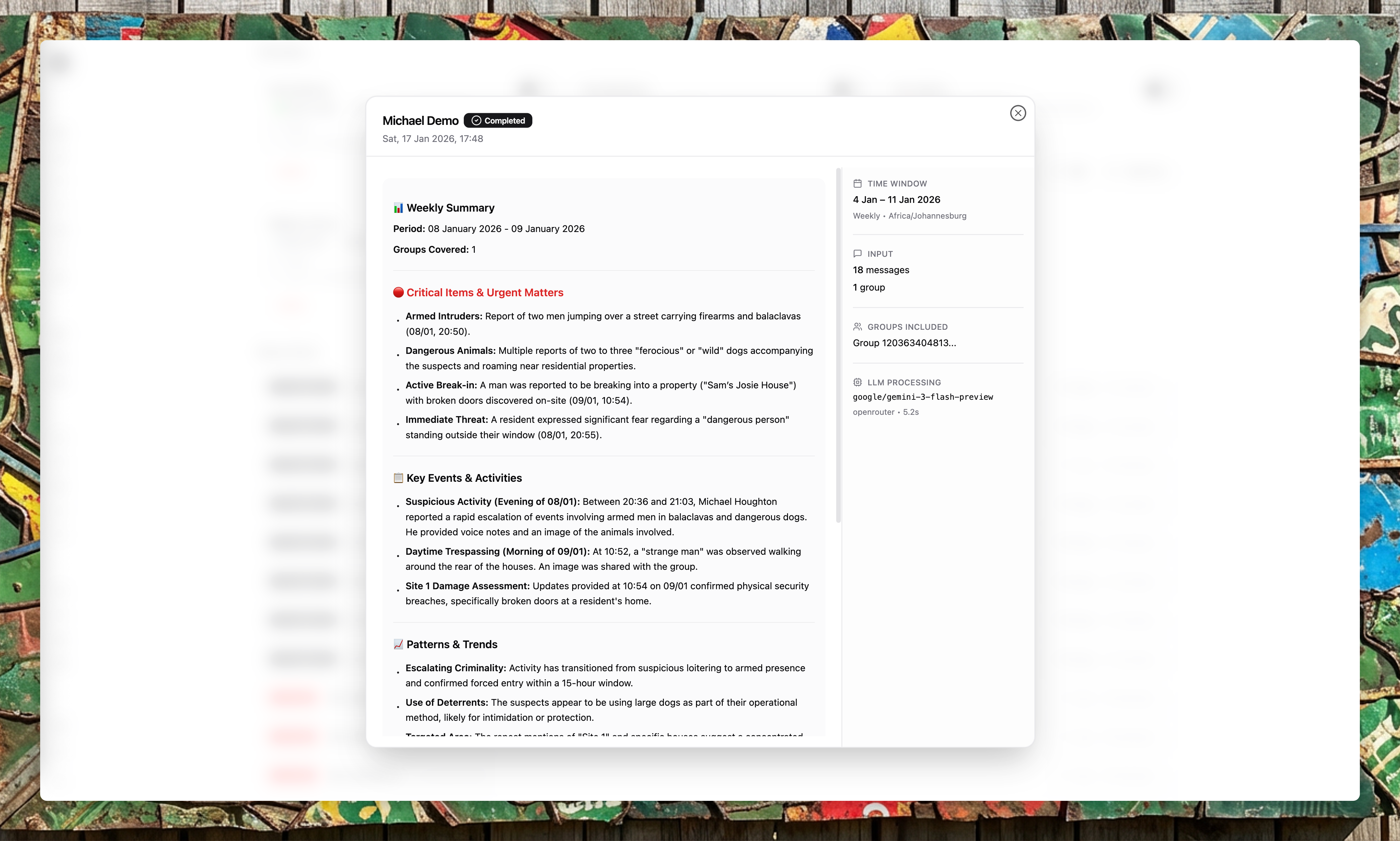
Each Insights summary is generated by an LLM that reviews all messages from the selected groups during the time window. The summary typically includes:
- Key events: Notable incidents or activity that occurred
- Themes: Recurring topics or patterns
- Action items: Things that may require follow-up
- Statistics: Message counts, group activity levels
The exact content depends on what happened during the period. Quiet periods produce shorter summaries.
Time windows
| Frequency | Time window |
|---|---|
| Daily | Previous calendar day (00:00 – 23:59:59 in your timezone) |
| Weekly | Previous Monday to Sunday (00:00 Mon – 23:59:59 Sun in your timezone) |
Time windows are calculated in the timezone you select when creating the schedule. Make sure your timezone is correct.
Data handling
Insights processing works as follows:
- The system retrieves all messages from the selected groups during the time window.
- Messages are passed to an LLM (via a secure API) to generate the summary.
- The summary is stored in MongoDB and linked to the schedule.
- The summary is delivered to the configured recipients.
Text data is stored securely. Media is not included in the summary input—only text content and transcriptions of voice messages are processed.
Viewing Insights
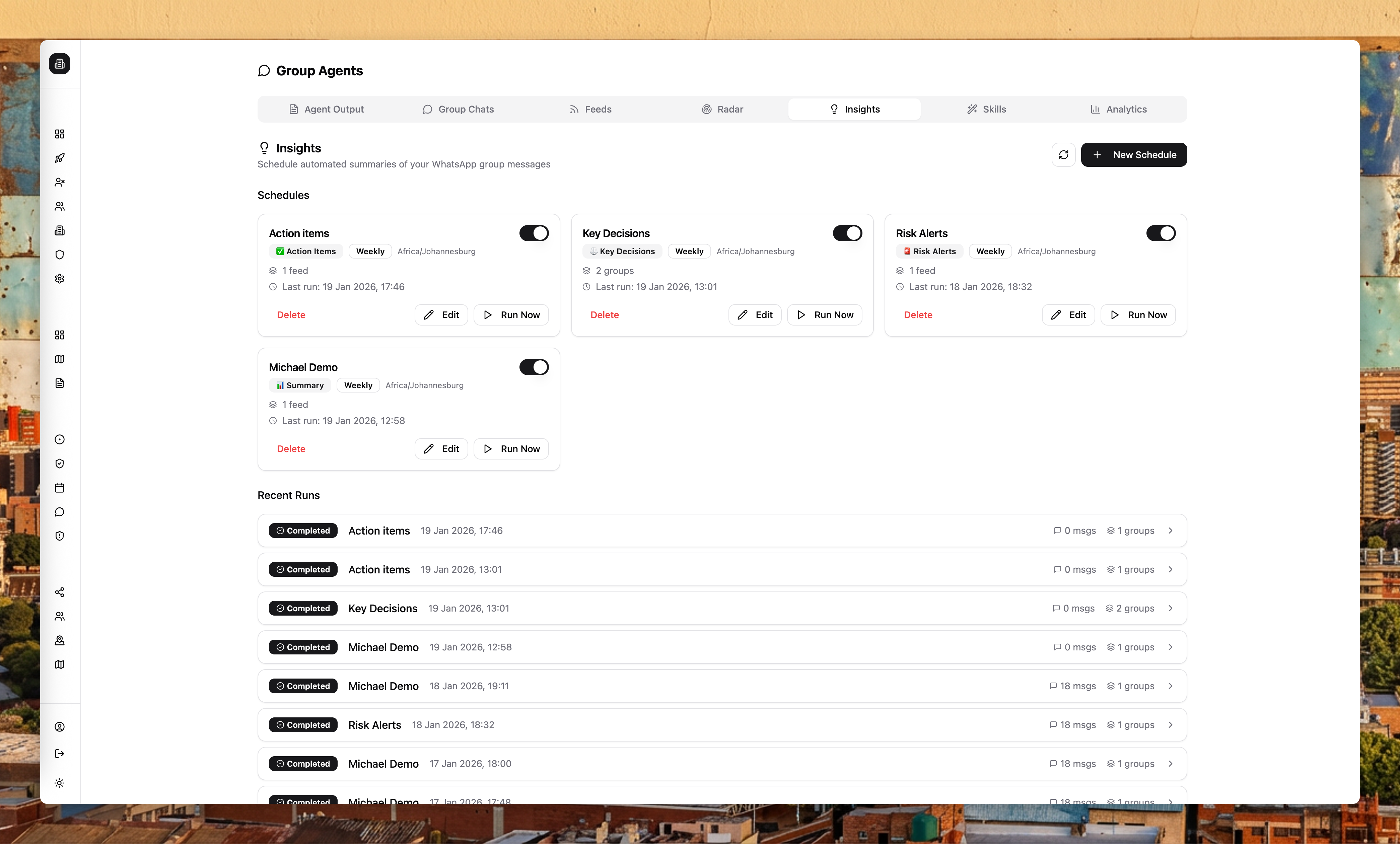
Past Insights runs are visible in the platform under Group Agents > Insights. You can review:
- Run status (completed, failed, queued)
- Time window covered
- Input statistics (message count, group count)
- The generated summary (in Markdown format)
Use cases
| Use case | Configuration |
|---|---|
| Morning briefing for ops manager | Daily summary delivered at 7am covering all operational groups |
| Weekly client report | Weekly summary delivered Monday morning, exported to PDF |
| End-of-shift handover | Daily summary timed to shift change |
Alerts and exports
Insights summaries can be combined with Export Flows to deliver summaries as PDFs to external recipients. For real-time alerting on specific conditions, use Alert Flows instead.